


Description
Download My Baby Piano – baby piano, music learning, educational app, kids music, musical instruments, interactive piano, fun learning, child development, baby learning, musical games
Overview
The My Baby Piano app is a free educational tool developed by DOKDOAPPS, specifically designed for parents and caregivers seeking interactive ways to introduce music to infants and young children. The application aims to support early childhood development by offering a playful environment where babies and toddlers can explore the sounds of musical instruments. Its primary purpose is to foster auditory awareness, motor coordination, and imaginative play through simple, engaging interactions with a virtual piano and drum set. The app is intended for use in home settings, daycare centers, or any environment where early learning is prioritized. While the developer’s background is not detailed beyond the company name, the app’s focus on child-friendly design suggests a targeted approach to early education. Real-world usage includes background music during playtime, structured learning sessions, or spontaneous exploration of sound patterns. The app’s simplicity and visual appeal make it suitable for children as young as six months old, helping them associate sounds with actions and develop foundational musical intuition.
Key Features & Capabilities
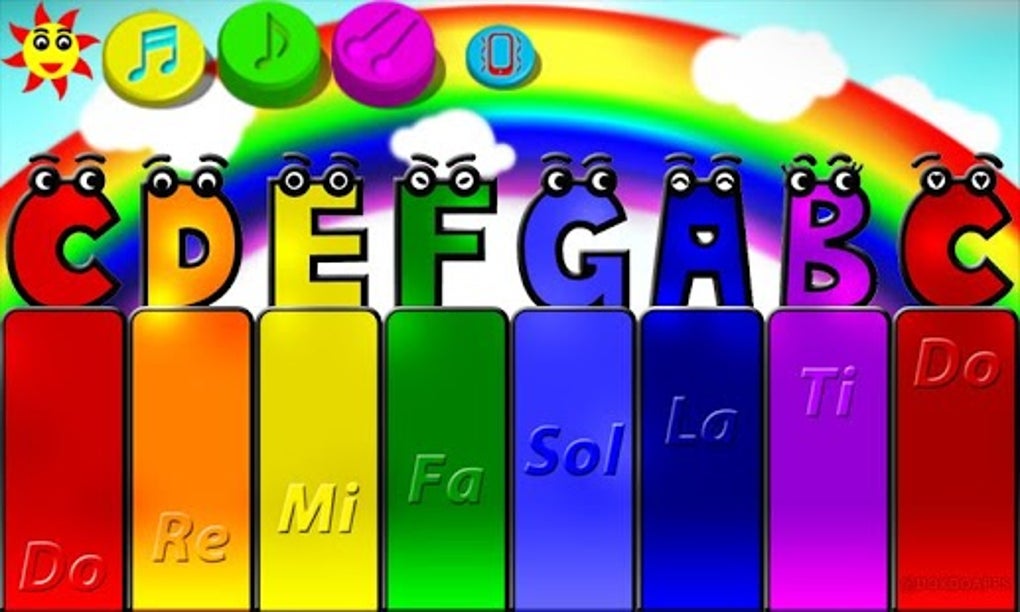
- Interactive Piano Interface: A simplified piano keyboard allows children to press keys and hear corresponding notes, helping them recognize pitch and rhythm through auditory feedback.
- Virtual Drum Set: A colorful drum section enables kids to tap and create rhythms, promoting hand-eye coordination and timing awareness.
- Instrument Sound Library: The app includes distinct sounds for piano and drums, simulating real-world instruments in a child-safe, non-intimidating format.
- Playful, Non-Competitive Design: The interface is intentionally free of scores, timers, or penalties, ensuring a stress-free and exploratory experience for young users.
- Visual and Auditory Feedback: Each interaction triggers both sound and visual cues, reinforcing cause-and-effect learning and maintaining engagement.
These features support developmental goals such as sensory stimulation, auditory discrimination, and creative expression. For example, a parent might use the app during a quiet activity to help a baby recognize high and low sounds, or encourage a toddler to mimic simple rhythms. The app’s structure encourages open-ended play, allowing children to discover music at their own pace. It functions as both a learning aid and a form of entertainment, blending education with fun. While advanced music theory is not included, the app serves as an accessible gateway to musical exploration for very young users.
User Interface, Workflow & Performance
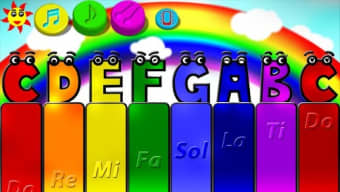
The user interface of My Baby Piano is designed with simplicity and visual clarity in mind. The layout emphasizes large, clearly labeled buttons for the piano and drum sections, minimizing the risk of accidental navigation. Navigation is minimal, with no complex menus or settings, ensuring that young users can interact directly with the core functions. The workflow is intuitive: open the app, tap a key or drum, and hear the sound. This direct interaction reduces cognitive load and supports early learning principles. The app’s performance is expected to be smooth on modern Android devices, though specific performance metrics were not provided. The developer did not specify resource usage details, but given the app’s small size of 12.5 MB, it is likely optimized for low-memory environments. Stability and responsiveness are assumed to be adequate for basic use, as the app’s functionality is limited to audio playback and touch input. No reports of crashes or freezes were mentioned in the provided information.
Compatibility & System Requirements
My Baby Piano is designed for Android devices, with the current version listed as 1.0. The app’s installation size is 12.5 MB, indicating a lightweight footprint suitable for a wide range of Android smartphones and tablets. While the developer did not provide specific system requirements, the app’s minimal size and focus on basic interactivity suggest compatibility with most Android devices released in the last five years. Exact hardware specifications such as CPU, RAM, or GPU requirements were not listed. Platform compatibility information is limited to the operating system, with no mention of support for iOS, Windows, or other platforms. Users should ensure their device runs a compatible version of Android, though the exact version range is not specified. For optimal performance, it is recommended to use the app on devices with touchscreens and built-in speakers.
Pros and Cons
Pros
- Free to download and use, making it accessible for all families.
- Simple, child-friendly interface ideal for infants and toddlers.
- Encourages sensory and motor development through interactive play.
- Small file size (12.5 MB) ensures quick installation and low storage use.
- Designed for educational purposes with no in-app purchases or ads mentioned.
Cons
- No detailed system requirements provided, which may cause uncertainty for some users.
- Limited functionality focused only on piano and drum sounds.
- No offline mode or data-saving features mentioned.
- Version 1.0 suggests a basic release with potential for future updates.
- App is exclusive to Android, limiting cross-platform access.
FAQ Section
Is My Baby Piano available for iOS devices?
The app is currently available only on Android. There is no information indicating support for iOS or other platforms.
Is the app safe for young children?
Yes, the app is designed specifically for babies and toddlers, with no harmful content, ads, or in-app purchases reported. Its interface is simple and non-intimidating, suitable for early learners.
Does My Baby Piano require an internet connection?
The app does not require an internet connection to function, as all sounds and features are embedded within the application. This makes it suitable for use in offline environments.
How often is the app updated?
The release date was November 15, 2023, and the current version is 1.0. No update frequency or future release plans were specified by the developer.
Can I use My Baby Piano on multiple devices?
While the app is free, the developer did not provide information about multi-device usage or account synchronization. Users should refer to the app’s terms for details on device eligibility.
Final Thoughts
My Baby Piano delivers a focused, child-centered experience that aligns with early childhood education goals. Its core strengths lie in simplicity, accessibility, and a safe, ad-free environment for young learners. While it lacks advanced features or cross-platform availability, it excels in its niche as a basic music exploration tool for infants and toddlers. The app is ideal for parents seeking a free, interactive way to introduce sound and rhythm to their children. Its lightweight design and intuitive interface make it a practical addition to any family’s digital learning toolkit. For those looking to support early auditory and motor development through play, My Baby Piano offers a reliable, no-frills solution. Download My Baby Piano now.
Guides & Tutorials for My Baby Piano
How to install My Baby Piano
- Click the Preview / Download button above.
- Once redirected, accept the terms and click Install.
- Wait for the My Baby Piano download to finish on your device.
How to use My Baby Piano
This software is primarily used for its core features described above. Open the app after installation to explore its capabilities.
User Reviews for My Baby Piano 0
No reviews found





